
How to Spot WordPress Plugin Conflicts Before They Hurt Your Gurugram Site
Your Gurugram website looked fine yesterday. Today the checkout button doesn’t work, a contact form silently fails, or the whole homepage shows a blank white screen. Nine times out of ten, that’s not a hosting issue or a hacker. It’s WordPress plugin conflicts quietly breaking your site from the inside.
The frustrating part is these conflicts rarely announce themselves. One plugin update on a Tuesday night can clash with a theme function you installed eight months ago, and you won’t find out until a customer in Cyber City tries to place an order and gives up. By the time you notice, you’ve already lost the sale and maybe a chunk of trust.
Good news: plugin conflicts leave clues well before they cause real damage. You just need to know where to look, and how to test safely without wrecking your live site in the process.
What Actually Triggers WordPress Plugin Conflicts
Most conflicts happen when two plugins try to control the same function, script, or database query at the same time. Think of a caching plugin and a security plugin both rewriting your .htaccess file, or two SEO plugins fighting over the same meta tags. WordPress doesn’t referee this for you.
It matters because a single conflict can cascade. A broken JavaScript file from one plugin can stop every other script on the page from loading, including your payment gateway or your WhatsApp chat widget. A Sector 44 retail client of ours once lost three days of online orders because a review plugin update quietly disabled their cart script. Nobody noticed until sales dropped.
Keep your plugin count lean. Anything installed for a one-time task six months ago and forgotten should be deactivated, not just left sitting there. Fewer active plugins means fewer places for a conflict to start. If you’re unsure which ones are actually doing work, a proper audit through website maintenance services will map every plugin’s role before you touch anything.
The Telltale Signs You’re Already Dealing With One
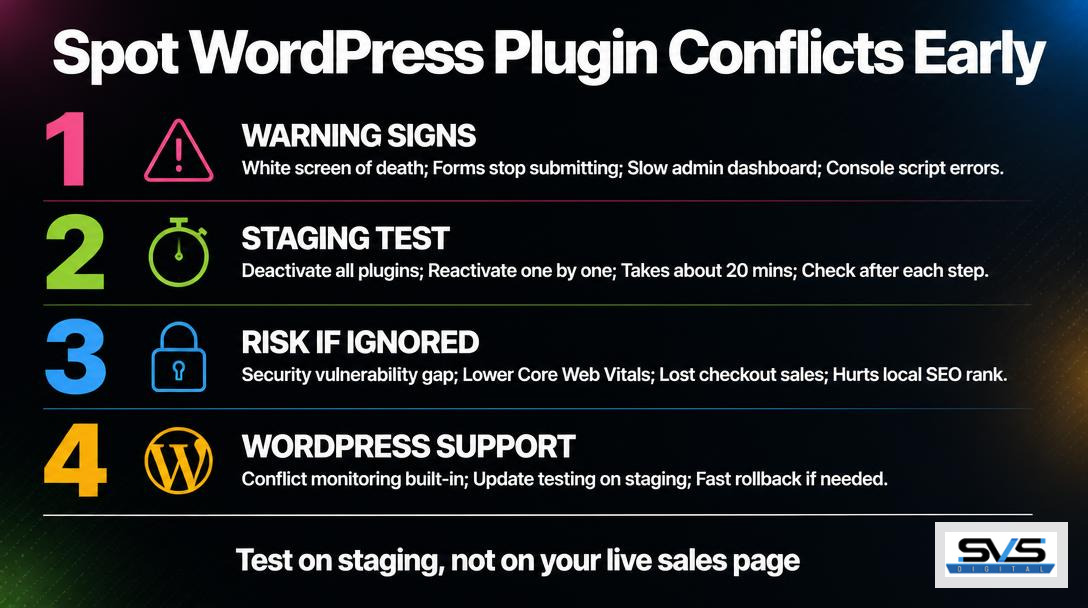
Look for white screens, broken layouts, forms that stop submitting, or a sudden jump in page load time. These are the five most common symptoms, roughly in order of how often we see them in client audits across Golf Course Road offices.
- White screen of death right after a plugin update
- CSS or layout suddenly looks broken on specific pages
- Admin dashboard loads slowly or times out
- Forms, popups, or sliders stop responding to clicks
- Console errors mentioning jQuery or script conflicts
Why does this matter so much? Because these symptoms almost never fix themselves. Left alone, a layout glitch today becomes a checkout failure next week. Google’s own PageSpeed Insights documentation notes that render-blocking scripts from conflicting plugins are one of the most common causes of poor Core Web Vitals scores, which directly affects your search rankings too.
Set a habit of checking your browser console (right-click, Inspect, Console tab) after every plugin or theme update. Red error text pointing to a specific plugin file is your first real clue. Don’t skip this step just because the homepage “looks fine” — conflicts often hide on checkout pages, contact forms, or mobile views first.
How to Test for Plugin Conflicts Without Breaking Your Live Site
Test on a staging copy first, never directly on the live site your customers are browsing. Most decent hosts offer a one-click staging environment; if yours doesn’t, that’s a red flag worth addressing separately.
On staging, deactivate all plugins, then switch each one back on individually, checking the site after every reactivation. This takes maybe 20 minutes for a site with 15 plugins. The moment the error reappears, you’ve found your culprit. It’s tedious, sure, but far cheaper than a day of lost orders.
If your site runs on a tight update schedule already, you probably have a maintenance routine in place. Our guide on how often you should actually update a Gurugram business site covers how to time these tests so conflicts get caught during low-traffic windows, not during your busiest sales hours.
When a Conflict Becomes a Security Problem
A plugin conflict can open a security gap, not just a display glitch. Deactivated plugins that were never removed, or old versions left running because an update broke something, are exactly the kind of outdated code attackers scan for. We’ve covered this risk in detail in our piece on customer data security gaps affecting local businesses.
That’s the part most site owners miss. A conflict isn’t just an annoyance. It’s a sign your update process has a blind spot, and blind spots are where breaches happen.
When to Hand This Off to Professional Support
Call in professional help the moment a conflict affects checkout, payments, or lead forms, or if you can’t isolate the cause within an hour of testing. Every hour your site is broken is revenue walking out the door.
Budget matters here too. Businesses often assume ongoing WordPress support costs more than it does. We’ve broken down realistic numbers in our article on monthly maintenance costs for Gurugram businesses, and in most cases it’s far less than one lost day of sales.
A dedicated WordPress maintenance and support plan includes staging environments, update testing, and conflict monitoring built into the routine, so problems get caught before your customers ever see them.
Quick Questions on Plugin Conflicts and Site Health
How often do plugin conflicts happen on WordPress sites in Gurugram?
More often than most business owners realize, usually right after an auto-update runs overnight. Shared hosting setups common among smaller Gurugram businesses tend to see this more frequently because resource limits amplify small script clashes into visible errors.
Can a plugin conflict affect my local SEO rankings?
Yes, directly. A conflict that slows page load or breaks mobile rendering hurts your Core Web Vitals, and Google factors those scores into local search rankings around Delhi NCR. A broken page also increases bounce rate, which search engines read as a trust signal problem.
Should I avoid plugin updates entirely to prevent conflicts?
No, skipping updates is worse than risking a conflict. Outdated plugins carry known security vulnerabilities that get exploited fast. The right move is testing updates on staging first, not avoiding them.
Stop Losing Sales to Broken Plugins
SVS Digital has spent years untangling exactly these problems for businesses across Gurugram, Udyog Vihar, and the wider Delhi NCR belt, so we know how fast a small plugin clash turns into a real revenue problem. Our team builds conflict testing into every maintenance cycle instead of waiting for something to break first. If your site has been acting up lately, don’t wait for the white screen moment. Book a free consultation and let’s find the real cause before it costs you another sale.
Ready to grow your digital presence?
Discuss your website, SEO or advertising goals with the SVS Digital team.
Contact UsRelated insights
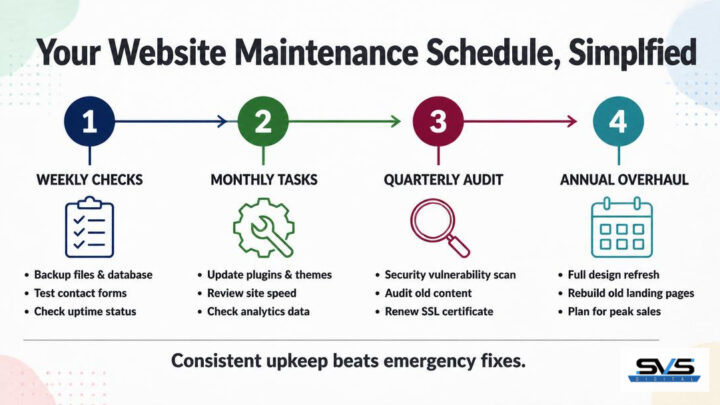
Website Maintenance Schedule: How Often to Update Your Gurugram Site
Most business owners in Gurugram launch a website, feel relieved, and then forget it exists. No one logs in for months. Plugins sit unpatched,…

Website Maintenance Cost in India: What Gurugram Businesses Should Pay Monthly
Ask three Gurugram agencies for a maintenance quote and you’ll get three wildly different numbers. Figuring out the right website maintenance cost in India…

Customer Data at Risk: 5 Security Gaps Gurugram Businesses Must Fix
Every Gurugram business that collects a phone number, an email address, or a payment detail online is sitting on a pile of customer data…